

We’ve now added a manual ‘Update from CRM’ feature for Reapit and SalesForce customers who have certain fields configured for automatic updates in their templates. By default, there are core fields such as price, EPC rating, local authority and council tax that are instantly updated through webhooks and re-published in FluxPro when you make a change to your property record in your CRM, without any intervention by a user.
FluxPro now has the ability for customers to request for additional specific fields to be updated in their template by clicking on the new “Update from CRM” button.
Here’s how it works
Let’s say a client wants to ensure that certain content in their FluxPro document is always synchronised with their property record, like a strapline or an address field. We can quickly activate the automatic update feature for those fields, which will display ‘Update from CRM’ button and allow them to synchronise updated content in their CRM to their digital document in one simple click.

FluxPro will list any fields that are configured to be updated and will pull through any new content from the property record.
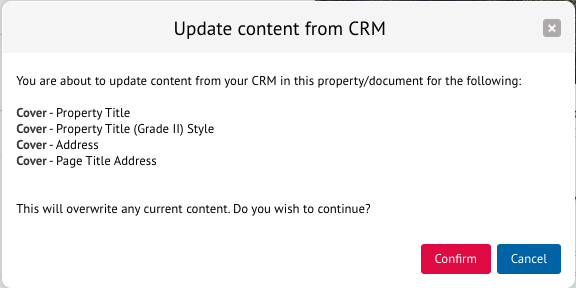
From there, just re-publish your document to see the changes.

The dynamic gallery carousel has also been tweaked to include a better grid layout, improved drag and drop image re-ordering and replacing features.
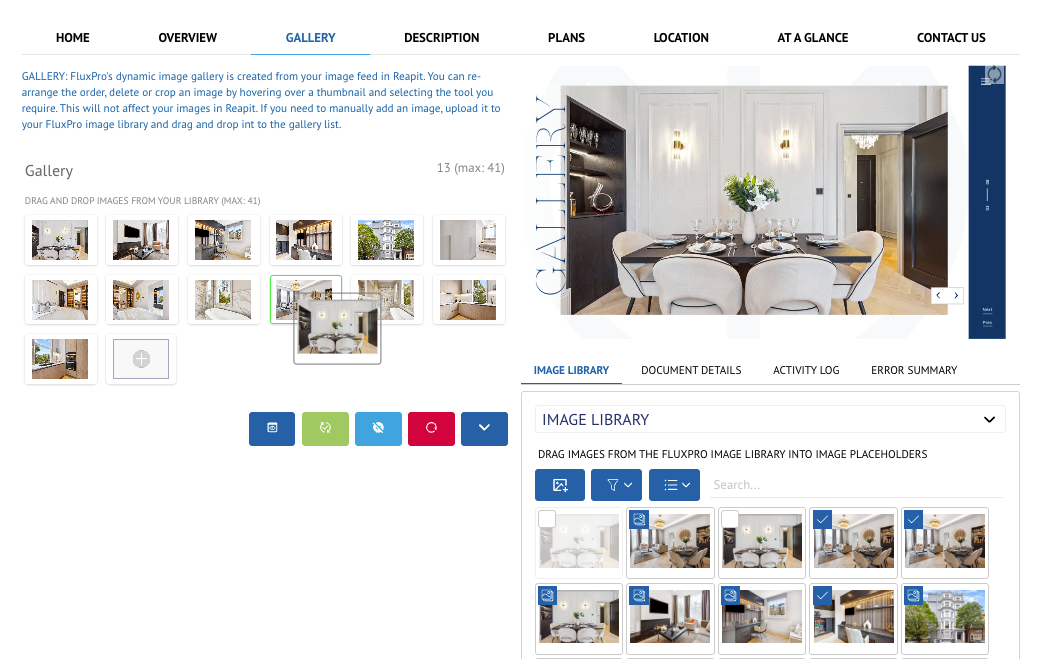
The new grid layout also makes it easier to re-arrange the order of images in your gallery when you hover over an image and select the 3 dots.

Our custom collections are one of the most powerful features in FluxPro – it’s the engine that allows us to give clients whatever they need and is behind bespoke layout options, teams, track records, portfolios and marketing options to name but a few.
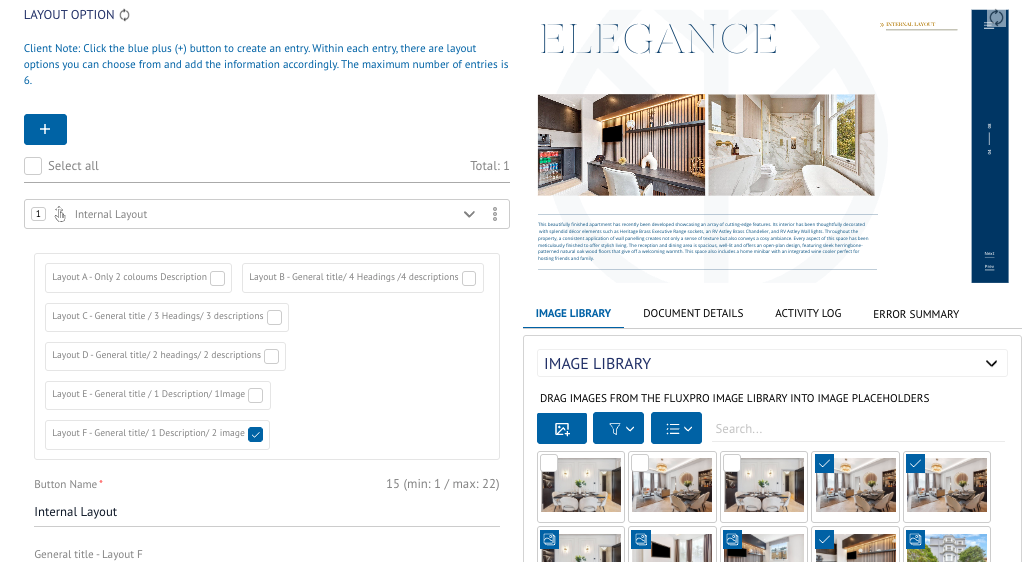
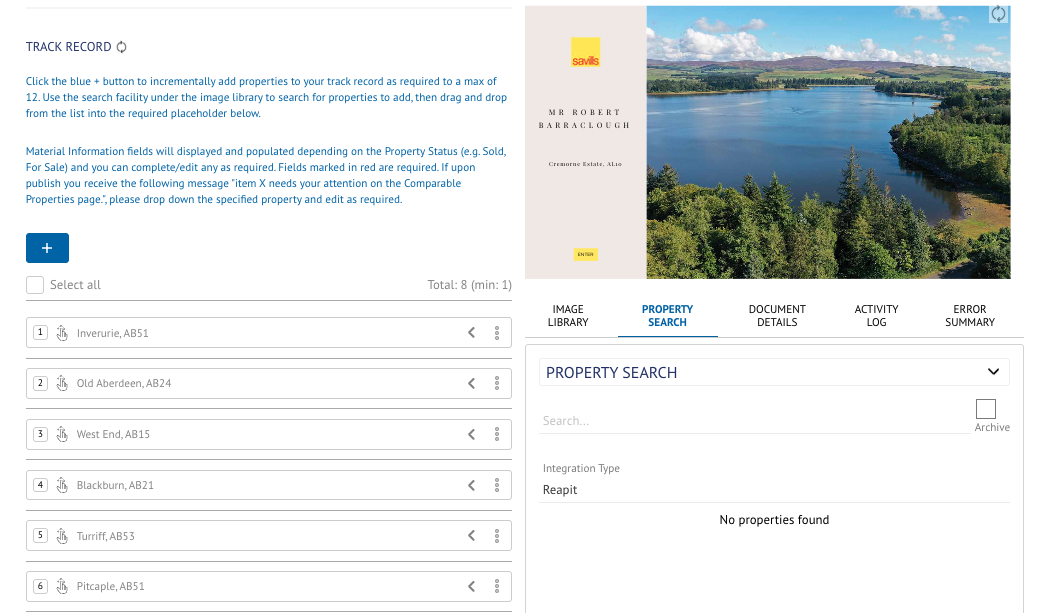
We’ve given this an overhaul and added features such as select all, order numbers, improved drag and drop re-ordering, sub-sections for larger collections, multi-select for delete and the ability to temporarily disable/enable entries.
To help users decide which options to use, especially when it comes to teams and cover images, we can now include a thumbnail icon next to the option, so no more guessing and refreshing!
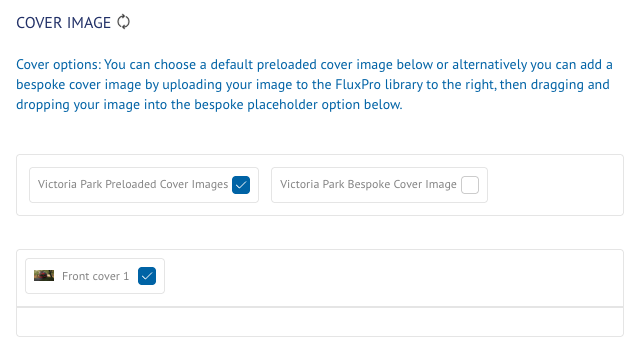
There’s also a handy select/de-select all option to help speed things up and this can be accessed by clicking on the three vertical dots.
To help reduce depth scrolling on pages, we’ve now bundled options groups together horizontally.

We’ve made some big improvements to the validation checks FluxPro makes when users publish.
Now FluxPro will highlight the page tab for any fields or elements that don’t pass validation, as well as any items, to help users easily identify where they need to make adjustments.